
The guide
A workflow-first guide to choosing AI tools for copy, search, imagery, video, repurposing and lifecycle marketing.
Use automation to remove repetition, then keep a human accountable for the customer, the claim and the commercial decision.
Where does your content workflow actually slow down?
A large software stack is not a content strategy. Most stores do not have a tools problem. They have one slow step that quietly caps everything else.
Map the workflow first: research, briefing, drafting, visual production, review, publishing and analysis. Find the step where delay or repetitive work actually limits output.
Add one tool at that step. Prove it works for a month. Only then look at the next bottleneck.
Which AI tools help with copy and search briefs?

For high-volume draft work, Jasper and Copy.ai are the established names. Both turn a brief into a workable first draft quickly. Neither should publish without an editor.
For search-led content, Surfer SEO and Frase help build briefs and check coverage. They show what a ranking page covers, so your writer stops guessing. Our wider shortlist lives in the AI and Digital Tools Explorer.
| Tool | Best for | Watch out for |
|---|---|---|
| Jasper | Brand-voiced draft copy at volume | Drifting off-brief without templates |
| Copy.ai | Short-form and workflow copy | Shallow long-form output |
| Surfer SEO | Search briefs and content scoring | Writing to the score, not the reader |
| Frase | Research and brief building | Thin drafts that need heavy editing |
Product claims, voice and usefulness still need an editor who understands the customer. That rule never changes.
Which tools handle images and video?
Canva's AI features and Midjourney both support concepting and lifestyle treatments. They are excellent for moodboards, backgrounds and ad variations. The Midjourney documentation shows how much control prompting gives you.
Real photography still wins for accurate product detail. Customers buy the exact colour, texture and fit they see. AI imagery that misrepresents a product creates returns, not sales.
For video, Synthesia creates presenter-led clips and Descript edits by transcript. Opus Clip turns longer recordings into short-form cuts. Together they make one recording session feed a week of content.
What about product pages and day-to-day store content?
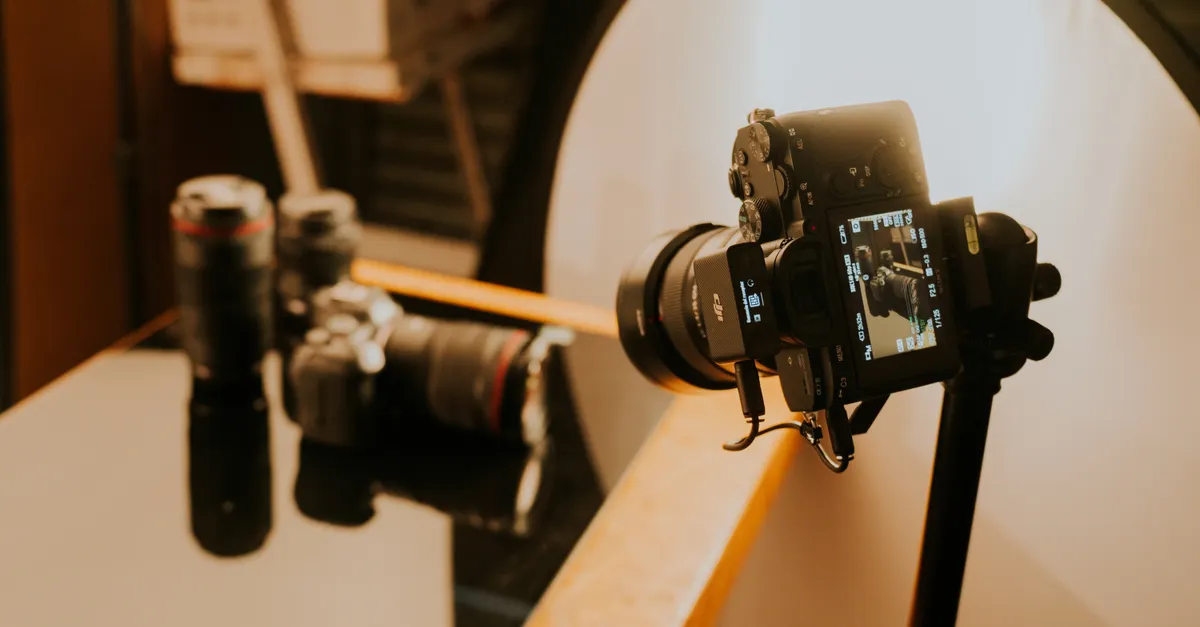
Product pages are where AI copy does the most quiet damage. Generic descriptions read alike across every store. They also bury the details that decide a purchase.
Use AI to draft structure, then rewrite with real specifics. Materials, sizing, care, shipping and returns belong in every description. Shopify's own guidance on product content is in the Shopify Help Center.
A useful test: could this paragraph sit on a competitor's page unchanged? If yes, it is not finished.
Where does AI help lifecycle marketing?
Email and lifecycle is where AI assistance compounds. Klaviyo's AI features can support send-time, subject-line and segment decisions. The customer journey and the core message should still be designed by your team.
Start with the setup, not the tool. Our beginner's guide to AI email automation walks through the first flows. Once they run, audit them with our Klaviyo Composer flow audit.
The pattern repeats everywhere in this guide. AI optimises variables. Humans own strategy, offers and judgement.
What should you never automate?
Avoid fully AI-written product pages published without review. Avoid auto-caption systems that push generic copy out at scale. Both trade a small time saving for trust.
Also avoid buying tools before fixing the workflow. A broken briefing process produces bad content faster with AI, not better content. The tool is never the first fix.
- Never publish AI output without a human read
- Never let AI invent product claims, prices or reviews
- Never automate a step you have not done manually first
How should you choose? A 30-day trial method
Pick one bottleneck and one tool. Run it for 30 days on real work, not demos. Measure output volume, editing time and error rate against the old way.
Keep the tool only if all three improve. If editing time eats the drafting saving, cancel it. Most stores need three or four tools in total, not fifteen.
If you would rather have the workflow designed for you, our content and organic growth team builds AI-assisted content systems for ecommerce brands. Start with one bottleneck, define a quality check, and expand only after the workflow proves useful.
How much should a small store spend on AI content tools?
Less than most vendors suggest. These tiers cover what we see working at different sizes, at typical published prices.
| Tier | Monthly budget | What it covers |
|---|---|---|
| Starter | $0-30 | One design tool plus a general AI assistant |
| Working stack | $80-150 | Drafting, search briefs, design and video clipping |
| Full stack | $250+ | The above plus lifecycle AI and repurposing at volume |
Above the working stack, returns flatten fast for most stores. The constraint stops being software. It becomes editing time and creative judgement.
The workflow we install for clients, step by step
First, we map the current workflow and time each step. Second, we pick the single slowest step and trial one tool against it for a month. Third, we write the quality checklist an editor uses before anything publishes.
Fourth, we expand only when the numbers hold. Most clients end with three or four tools, each with a named owner. Every tool without an owner gets cancelled at the quarterly review.
That discipline is the whole method. Tools change every quarter. A workflow with owners and checklists survives every change.
Frequently asked questions
How many AI tools does an eCommerce content workflow need?
Start with one. Map the workflow — research, briefing, drafting, visual production, review, publishing and analysis — find the step where delay or repetitive work is actually limiting output, and add a single tool there.
Which AI tools help with high-volume copy and SEO briefs?
Jasper and Copy.ai can accelerate high-volume draft work, while Surfer SEO and Frase are useful for search-led briefs and coverage checks. Product claims, voice and usefulness still need an editor who understands the customer.
Can AI imagery replace product photography?
No. Canva Magic Studio and Midjourney can support concepting and lifestyle treatments, but real photography remains the right choice for accurate product detail. For video, Synthesia and Descript help create and edit, and Opus Clip can turn longer recordings into short-form cuts.
What AI content practices should eCommerce brands avoid?
Fully AI-written product pages published without review, and auto-caption systems that publish generic copy at scale. Start with one bottleneck, define a quality check, and expand only after the workflow proves useful.